How to Build a Homelab Server from Scratch: Complete Setup Guide
Tired of watching your monthly subscription fees for cloud storage, web hosting, and media streaming creep higher and higher? You aren’t alone. Across the globe, IT professionals, developers, and everyday tech enthusiasts are actively reclaiming control over their data and digital infrastructure.
Figuring out how to build a homelab server from scratch is the perfect antidote to today’s heavy reliance on the cloud. Having a personal homelab gives you a dedicated, self-hosted space to run your favorite applications, experiment with enterprise-grade technologies, and keep your digital life secure.
In this comprehensive guide, we’ll walk you through the process step by step. We’ll cover everything from the hidden pitfalls of cloud dependency to picking the right hardware, installing operating systems, and deploying advanced containerized apps. By the end, you’ll know exactly what it takes to run your very own mini data center.
Why You Need to Know How to Build a Homelab Server from Scratch
The biggest flaw in modern digital architecture is how heavily we lean on public cloud providers. Whenever you hand over your personal files, passwords, or media collections to external servers, you’re essentially giving up total control over your data sovereignty.
This dependency doesn’t happen by accident; managed services are built for convenience, not user empowerment. But the honeymoon phase rarely lasts. Free tiers quietly expire, subscription prices inevitably jump, and massive corporations regularly tweak their privacy policies without giving you a heads-up.
Then there’s the massive headache of vendor lock-in. Trying to migrate terabytes of family photos or massive code repositories between proprietary cloud ecosystems is intentionally difficult—and often expensive. Before long, your data feels trapped behind an endless series of paywalls.
By taking the plunge into self-hosting at home, you can ditch those recurring fees for good. Even better, you gain a unique environment to practice modern DevOps workflows, safely test out automated scripts, and manage an isolated network free from outside interference. It truly is the ultimate playground for hands-on IT learning.
Basic Solutions: First Steps in Your Home Server Setup
Building a personal server doesn’t mean you have to drop thousands of dollars on loud, bulky enterprise gear. In fact, it’s surprisingly easy to get started using a mix of budget-friendly components and robust open-source software.
1. Choose Your Homelab Hardware
The physical hardware you choose will ultimately dictate both the compute power and the energy footprint of your setup. Fortunately, you can start as small as you’d like and scale up your hardware as your technical needs naturally expand.
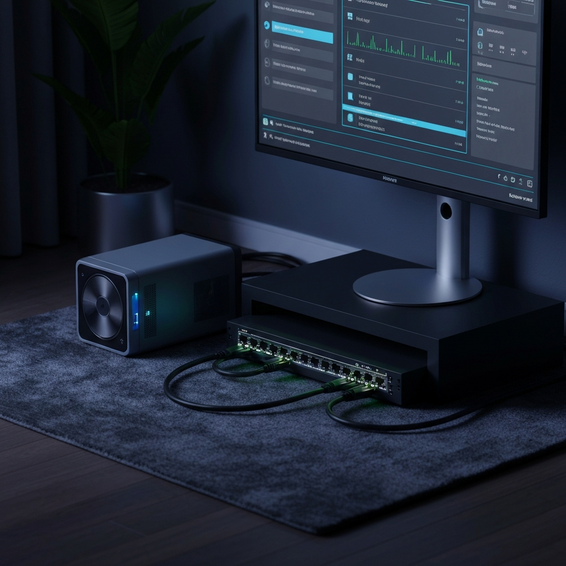
- Mini PCs (Intel NUC / TinyMiniMicro): These ultra-compact devices are completely silent and incredibly power-efficient. They make the perfect foundation for basic container hosting, network ad-blocking, and running small local databases.
- Repurposed Desktops: Don’t be so quick to toss out that old gaming rig! By simply upgrading the RAM and throwing in some reliable NAS-grade storage drives, you can transform an aging PC into a highly capable beginner node.
- Enterprise Servers: Used, rack-mounted gear—like the Dell PowerEdge R730—delivers massive, scalable computing power. Just keep in mind that they draw considerably more electricity and produce noticeable fan noise.
2. Select a Hypervisor or Operating System
To get the most mileage out of your new hardware, you’ll want to install a Type-1 hypervisor. This specialized piece of software sits directly on the bare metal, allowing you to run multiple isolated virtual machines (VMs) and containers side-by-side on a single physical machine.
- Proxmox VE: Easily the most popular open-source hypervisor among home users today, Proxmox boasts an intuitive web GUI, native support for Linux containers (LXC), and built-in, enterprise-grade backup features.
- TrueNAS Scale: If your main objective is putting together a solid NAS system for mass storage, TrueNAS Scale delivers fantastic ZFS management paired with seamless Docker app deployments.
- VMware ESXi: While it has historically been the gold standard in enterprise environments, recent licensing changes under Broadcom have alienated many homelabbers. As a result, the classic Proxmox vs ESXi debate now leans heavily toward Proxmox for personal use.
3. Establish Network Foundations
Before you start spinning up applications, you need to establish a stable network foundation. For a server to function smoothly on your local area network (LAN), it requires absolute predictability.
As a rule of thumb, always assign a static IP address to your server via your router’s DHCP reservation settings. Doing so guarantees that your server claims the exact same IP address after every reboot, saving you from frustrating connection timeouts when trying to access your hosted services.
Advanced Solutions for IT Professionals
Once your baseline operating system is humming along reliably, you can start rolling out more advanced services. This is the exciting phase where your setup evolves from a basic file server into a truly powerful, enterprise-grade environment.
1. Implement Container Orchestration
Rather than bogging down your system with heavy, resource-hungry virtual machines for every single application, shift your focus to Docker containers. Because they share the underlying host OS kernel, containers are exceptionally fast, lightweight, and highly portable.
By setting up Docker Compose, you can manage your entire software stack declaratively through clean YAML files. For power users looking to sharpen their real-world DevOps skills, deploying a lightweight Kubernetes distribution—like K3s—across a cluster of mini PCs offers a fantastic, career-boosting challenge.
2. Set Up a Reverse Proxy Architecture
Let’s face it: navigating to your various services using a jumble of raw IP addresses and easily forgotten port numbers is a hassle. That’s where a reverse proxy comes in. Sitting right in front of your applications, it cleanly routes incoming web traffic based on recognizable domain names.
Tools like Nginx Proxy Manager, Caddy, or Traefik handle this routing flawlessly. Even better, they can automatically fetch and renew Let’s Encrypt SSL certificates, guaranteeing that your internal network traffic stays fully encrypted via HTTPS.
3. Infrastructure as Code (IaC)
If you want to take your homelab to the next level, it’s time to stop configuring servers by hand. Instead, embrace Infrastructure as Code (IaC) by leveraging powerful automation tools like Ansible or Terraform.
Writing Ansible playbooks allows you to automatically provision users, install software updates, and push out Docker stacks across your entire fleet of servers. The best part? You can do it all with a single execution from the command line.
Best Practices for Optimization and Security
The moment you decide to physically host your own infrastructure, you officially take on the role of systems administrator. Adhering to strict security and performance best practices is no longer optional—it’s absolutely essential for preventing catastrophic data loss.
Secure Remote Access with a Mesh VPN
Whatever you do, never expose your server dashboards or administrative applications directly to the open internet. Blindly opening ports on your router is a surefire way to invite automated botnets and ransomware attacks into your network.
Instead, protect your setup using an overlay network or a mesh VPN. Solutions like Tailscale and WireGuard have become the modern industry standards for providing secure, encrypted remote access to your homelab hardware—all without needing to open a single external firewall port.
Adopt the 3-2-1 Backup Strategy
Whether you use spinning hard drives or blazing-fast SSDs, hardware eventually fails; it’s always a matter of when, not if. To protect your invaluable personal cloud storage, you need to implement the tried-and-true 3-2-1 backup methodology.
The rule is simple: keep three total copies of your data, spread across two different types of storage media, with at least one encrypted copy stashed securely off-site. Thankfully, open-source utilities like Proxmox Backup Server, Borgmatic, and Restic can automate this entire lifecycle for you.
Deploy Network Segmentation (VLANs)
It is highly recommended to keep your critical homelab traffic logically separated from your everyday home Wi-Fi network. By setting up Virtual LANs (VLANs) via a managed switch and a robust firewall (such as OPNsense or pfSense), you effectively quarantine smart home gadgets—meaning a compromised IoT lightbulb can’t be used to pivot into your hypervisor.
Proactive Monitoring and Alerting
As the old IT adage goes, you can’t fix what you don’t measure. Spinning up a dedicated monitoring stack is vital for keeping an eye on overall server health, CPU utilization, and potential network bottlenecks.
A pairing of Prometheus (to scrape time-series metrics) and Grafana (to visualize that data in gorgeous dashboards) remains the industry gold standard. Hook these up with automated email or Discord alerts, and you’ll be the first to know the second a server goes offline.
Recommended Tools and Resources
Crafting a successful server environment requires finding the right synergy between reliable hardware and capable software. If you’re looking to rapidly enhance your self-hosted setup, here are some top-tier recommendations to get you going.
- Hardware Hubs: For a highly energy-efficient starting point, browse Amazon or eBay for refurbished, low-power enterprise mini PCs, such as the Lenovo ThinkCentre Tiny or the Intel NUC series.
- Networking Gear: Managed switches from brands like Ubiquiti UniFi, MikroTik, or TP-Link Omada offer affordable, enterprise-level VLAN management to cleanly segment your network traffic.
- Software: Jump-start your independence from pricey SaaS subscriptions by spinning up a self-hosted password manager like Vaultwarden, or your own private media server using Jellyfin.
- Dashboards: Don’t lose track of your apps! Install Homepage, Heimdall, or Dashy to create a beautifully organized, centralized landing page that links out to all your hosted services.
Frequently Asked Questions
Is a homelab expensive to run on my electricity bill?
It certainly doesn’t have to be. While it’s true that older enterprise servers guzzle power and pump out heat, a modern mini PC sips just 10 to 15 watts at idle. In many cases, the monthly electricity cost to run a modest server is less than what you pay for a single Netflix subscription.
What is the absolute best OS for a beginner homelab?
Proxmox VE is widely regarded as the top choice for beginners and seasoned veterans alike. Aside from being completely free to use, it boasts an incredible amount of community documentation. It also makes it wonderfully simple to isolate your various technical projects into safe, self-contained virtual machines or containers.
Can I use a simple Raspberry Pi for a homelab?
You absolutely can. In fact, a Raspberry Pi 4 or 5 is an amazing gateway device into the broader world of self-hosting. These little boards are perfect for lightweight, always-on tasks—like running Pi-hole to block ads across your entire network, operating as a WireGuard VPN node, or hosting basic Docker containers.
Do I need to know how to code to build a server?
Not at all! You don’t need a background in programming just to get started. That said, as you tinker and progress, you’ll naturally absorb a lot of knowledge about Linux command-line operations, basic TCP/IP networking, and how to read YAML files to deploy your software.
Conclusion
Mastering how to build a homelab server from scratch is an immensely rewarding technical journey. It fundamentally changes your relationship with technology, transitioning you from a passive tech consumer into a highly capable, self-reliant systems architect.
By starting out with simple, budget-friendly hardware, installing a robust hypervisor like Proxmox, and securing your remote access with a mesh VPN, you can build your own digital sanctuary. Along the way, you’ll pick up highly marketable IT skills while simultaneously shielding your personal data from corporate data miners.
Why not take that first step today? Dust off that old PC sitting in the back of your closet, flash a hypervisor onto a USB drive, and try deploying your very first container. A fun, empowering world of private infrastructure is waiting for you to dive in.
About the Author